
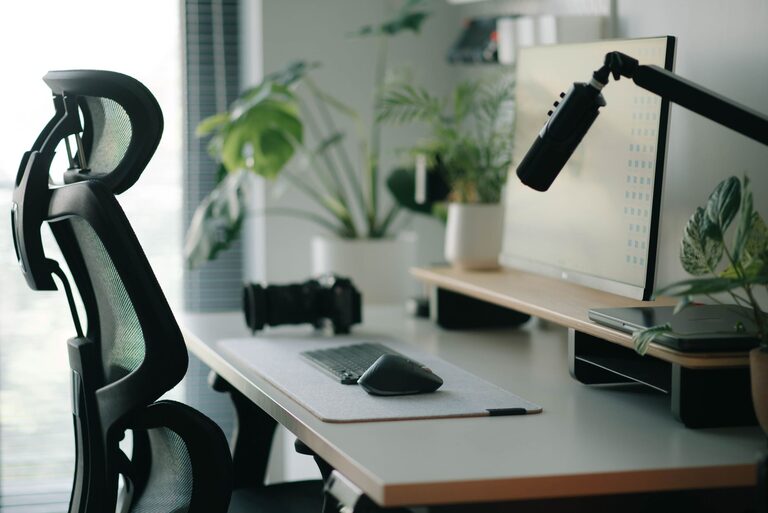
Creating a desk setup that promotes both focus and comfort can make a significant difference in your productivity and overall well-being. Whether you work from home, study, or spend hours at a desk for any reason, a well-organized and ergonomic workspace helps you stay engaged and prevents discomfort. In this post, we’ll explore simple and effective tips to design a desk setup that supports your daily tasks while keeping your body and mind in top shape.
Why Your Desk Setup Matters
Your environment influences your ability to concentrate and work efficiently. A cluttered, uncomfortable desk can cause distractions, physical strain, and fatigue. Conversely, a clean, thoughtfully arranged workspace encourages focus, reduces stress, and helps maintain good posture. Investing time to improve your desk setup today can pay off with better productivity and comfort tomorrow.
Essential Elements of a Focus-Friendly Desk Setup
1. Choose the Right Desk and Chair
– Desk Height: Ideally, your desk should allow your arms to rest comfortably at a 90-degree angle when typing or writing. Standard desk height ranges from 28 to 30 inches, but adjustable desks provide more flexibility.
– Chair Support: Use an ergonomic chair with good lumbar support. Adjust the height so your feet rest flat on the floor and your knees are at a 90-degree angle or slightly lower.
2. Position Your Monitor Properly
– Eye Level: The top of your monitor should be at or just below eye level to prevent neck strain.
– Distance: Place the monitor about an arm’s length away to avoid eye fatigue.
– Multiple Screens: If you use more than one monitor, arrange them side by side at the same height, angling them slightly inward.
3. Optimize Lighting
– Natural Light: Position your desk near a window to benefit from natural daylight, which improves mood and alertness.
– Task Lighting: Use a desk lamp with adjustable brightness and direction to reduce eye strain, especially in the evening or in low-light rooms.
– Avoid Glare: Position screens and light sources to minimize glare and reflections.
4. Keep Your Desk Organized
– Minimal Clutter: Limit what you keep on your desk to essentials. Use organizers, trays, or drawers to store supplies.
– Cable Management: Use clips, sleeves, or cable boxes to keep wires neat and out of the way.
– Effective Storage: Consider shelves or filing cabinets nearby to keep documents and tools within reach but off the desk surface.
Comfort Tips for Long Hours at Your Desk
1. Maintain Good Posture
– Sit back in your chair with your back supported.
– Keep your shoulders relaxed and your wrists straight while typing.
– Avoid crossing your legs for long periods to improve circulation.
2. Take Regular Breaks
– Follow the 20-20-20 rule: every 20 minutes, look at something 20 feet away for 20 seconds to reduce eye strain.
– Stand up, stretch, or take a short walk every hour to relieve muscle tension and boost circulation.
3. Add Personal Comfort Items
– Wrist Rests: Use padded wrist rests to reduce pressure while typing.
– Footrests: If your feet don’t rest comfortably on the floor, a footrest can help maintain proper posture.
– Plants: Small desk plants can improve air quality and add a calming touch to your workspace.
Tips for Enhancing Focus
1. Minimize Distractions
– Use noise-cancelling headphones or soft background music if you work in a noisy environment.
– Keep your phone on silent or in another room during focused work sessions.
2. Use Organizational Tools
– Keep a to-do list or planner visible to track tasks and deadlines.
– Use timers or apps that support the Pomodoro technique (work intervals with breaks) to maintain productivity.
3. Customize Your Space
– Surround yourself with items that inspire you, like motivational quotes, art, or photos, but avoid overdecorating.
– Adjust room temperature and air quality to your preference for comfort and alertness.
Final Thoughts
Setting up a desk environment that prioritizes focus and comfort doesn’t require an expensive overhaul. Small changes—like adjusting your chair height, improving lighting, or organizing your work area—can bring immediate benefits. Experiment with your setup to find what works best for you, and remember to stay mindful of your posture and take regular breaks. A thoughtful desk setup supports not just your work but your health and well-being too.
By creating a workspace tailored to your needs, you’ll build a foundation for productivity and comfort that makes each workday more enjoyable and effective. Happy setting up!